Power Repeater
EV1-X 1-Channel Power Repeater
Product Details
What it’s for: running longer or higher-wattage strip than the controller alone can power. A power repeater (also called an amplifier) sits between the controller and the extra strip. The controller still sends the dimming signal — the repeater drives the strip from its own power supply, so the controller’s output limit stops mattering. The controller powers the first stretch of strip directly; each repeater powers the next, in series or parallel, without limit.
When do you need one? Our 24V CCT strip draws 14.4W per metre. A 5-metre run is 72W — 3A at 24V, comfortably within the controller. Stretch that to 20 metres and it becomes 288W — 12A — more than the controller should carry, so you split the run and let a repeater carry the rest.
The EV1-X is the single-channel workhorse: one 30A channel — up to 720W of 24V white strip from one unit, or about 600W with the 20% safety buffer we recommend. It takes the PWM signal from a controller such as the WT1, with 3kV optoelectronic isolation between signal and power, and an alarm LED that warns of overload, over-heat or short circuit.
Which controller & repeater for which strip?
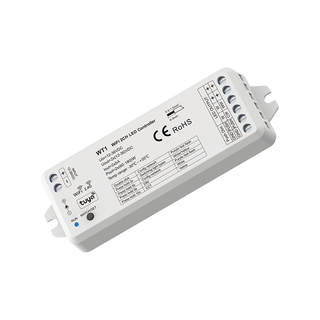
- White (single-colour) strip — WT1 controller + EV1-X repeater
- CCT (tunable white) strip — WT1 controller + EV2 repeater
- RGBW strip — WT5 controller + EV4 repeater
Key features
- Adds up to ~600W of 24V white strip (720W hardware max) — sized with a 20% safety buffer
- 1 channel at 30A — constant voltage
- PWM signal input — follows the controller’s dimming exactly
- 3kV optoelectronic isolation between signal input and power stage
- Expand in series or parallel without limit — add a repeater per extra run
- Alarm LED for over-load, over-heat and short circuit
- Heavy-duty screw terminals — 0.5–4.0mm² cable
- Reverse polarity, over-load, over-heat and short-circuit protection
In the box
- 1 × EV1-X power repeater
- User manual
Works with
3-year warranty.
For wiring, Tuya app pairing and full technical detail, the official user manual is attached at the bottom of this page.
You may also need
Matched parts and accessories for this product